On June 2, 2026, OpenAI published its "Codex for every role, tool, and workflow" announcement, releasing three capabilities at once. The most significant of the three is Sites: a Codex plugin that takes a natural language description and produces a deployed, interactive web application. No CI/CD pipeline. No cloud console. Just a prompt and a production URL.
More than 5 million people now use Codex weekly, with non-developers — including analysts, marketers, operators, designers, researchers, investors, and bankers — accounting for about 20% of users and growing more than three times faster than developers. That growth is clearly what motivated this release. OpenAI is repositioning Codex from a developer-focused coding agent into something much broader.
OpenAI introduced new ways to do more work with Codex: plugins that adapt Codex to your role and tools, annotations that help you refine the result in place, and a preview of the ability to create interactive websites and apps you can share with your workspace using a URL. Inside OpenAI, non-technical teams already use Codex to build internal apps, prepare executive materials, create dashboards, and turn creative briefs into work that reflects brand and design constraints.
What Is ChatGPT Sites
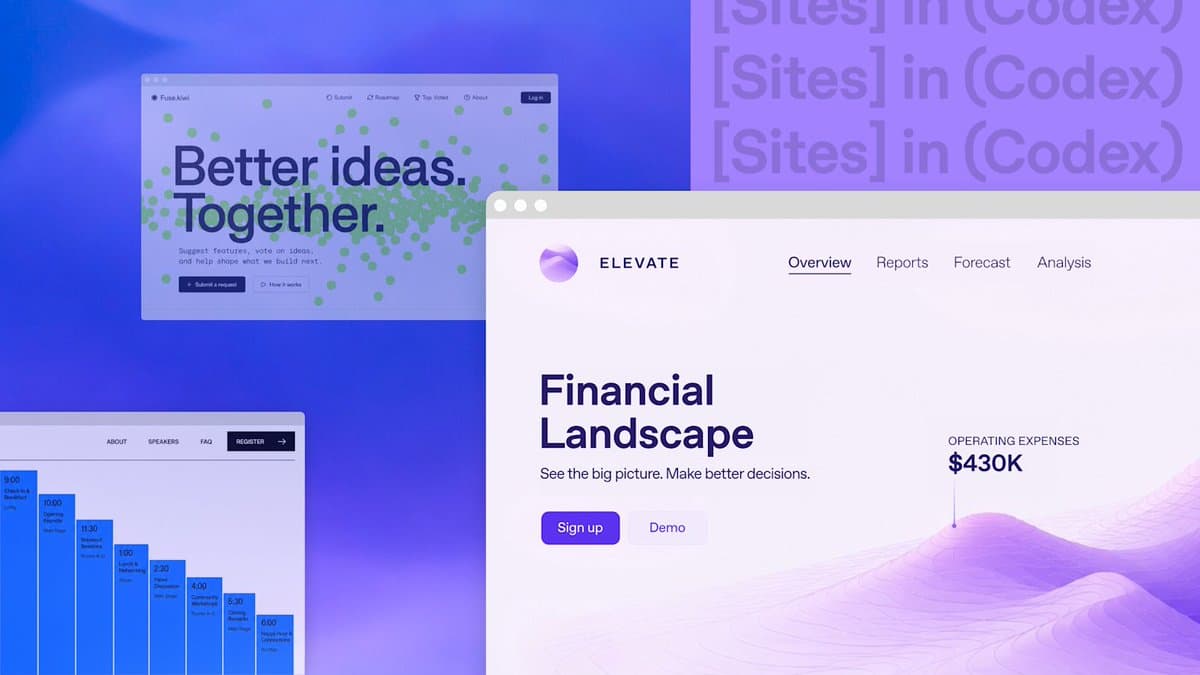
OpenAI introduced Sites as a new Codex capability for creating, saving, deploying, and inspecting hosted websites, web apps, dashboards, internal tools, and lightweight interactive experiences. It ships as a Codex plugin, not a standalone product.
Sites is not simply "ask ChatGPT for HTML." It is closer to a work-product publishing surface inside Codex: you can ask Codex to turn a business review, launch plan, product dashboard, financial model, creative brief, project tracker, or lightweight app idea into something your team can open, use, and iterate on through a URL.
Unlike a static document or presentation, Sites can continue to be updated as project information changes. That's the key distinction from exporting a PDF or sharing a Google Doc. The output is a live application.
How Sites Works Under the Hood
The workflow is conversational by design. You describe what you want in a thread, optionally calling the plugin explicitly with @Sites when a task should end in a deployment, and Codex builds the project, runs it for testing, deploys it, and hands back a production URL.
You can ask Codex to validate the site's build, then tell it either to save a deployable version for review or to deploy the approved saved version. That two-step save-then-deploy model is deliberate. It gives teams a review gate before anything goes live.
On the infrastructure side, the stack is specific. Sites hosts projects that build Cloudflare Worker-compatible output as ES modules. New projects can start from a recommended site starter; existing projects need Codex to confirm the build produces compatible artifacts before a deploy. Persistent state is handled by D1-style databases and R2-style object storage, so a generated app can hold real user state and uploaded files, not just render static markup.
A Sites project links a local source project to hosting managed through Sites, and Codex stores that linkage and optional storage binding names in .openai/hosting.json.
Key Technical Highlights
Users can ask Codex to create, iterate on, and deploy lightweight full-stack JavaScript/TypeScript web apps with hosted site URLs, Sign in with ChatGPT access, and data/file storage, while keeping access workspace-internal.
A few things worth noting from the developer docs:
- In a thread, describe the site you want to create or publish. You can name the plugin explicitly with
@Sites, especially when your task should end in a hosted deployment. - You can also ask Codex to inspect saved versions, check deployment status, or change who can access a deployed site.
- When a site needs durable application data or uploaded files, you can say so in the request — for example,
@Sites Add persistent player scores and avatar uploads to this game. Use the appropriate Sites storage and deploy the updated game. - Confirm that you configured runtime secret values through Sites and didn't commit them in source files.
The full Codex Sites developer guide covers build requirements, storage bindings, and deployment constraints in detail.
Availability and Access Controls
As of June 2, 2026, Sites is in preview. OpenAI's developer docs say it is currently available for ChatGPT Business and Enterprise workspaces, with more plans rolling out later.
Access is handled differently depending on your plan:
- ChatGPT Business workspaces include Sites by default. ChatGPT Enterprise admins can enable Sites for the appropriate roles through role-based access control (RBAC).
- Admins and owners can disable published sites from Workspace settings > Sites.
Today, sites are shared with anyone in your workspace via URL, giving teams a shared place to explore work, contribute input, and track decisions. External sharing is not part of the current preview scope.
What Else Shipped in This Release
Sites didn't ship alone. The June 2 announcement bundled two other meaningful updates.
OpenAI launched six new role-specific plugins that make Codex useful for more kinds of knowledge work, no coding required. Together, they include 62 popular apps and 110 skills. The initial set covers:
- Data analytics, creative production, sales, product design, public equity investing, and investment banking.
More role-specific plugins are coming soon, including Corporate Finance, Private Equity Investing, Marketing Strategy, Strategy Consulting, and Legal.
On the annotation side, OpenAI expanded annotations, a feature that allows users to select specific portions of generated content and request targeted changes. Previously focused on code and websites, annotations now support documents, spreadsheets, and presentations. The feature is intended to help users refine content without rebuilding entire projects from scratch.
The Partner Ecosystem and Competitive Context
OpenAI named a Sites partner roster that includes Wix, Base44, Replit, Lovable, Figma, Webflow, and Emergent. That's both a moat and a hedge: OpenAI gets distribution into established builders, and those builders get a Codex on-ramp rather than being routed around entirely.
The community reaction has been pointed. Some users praise the feature for shrinking the distance between ideas and shareable apps, while others call it a startup killer. That tension is real. Tools like Lovable and Replit have built their entire value propositions around prompt-to-app workflows. Having that capability baked into ChatGPT's enterprise tier changes the calculus for those products.
Claude Code has no equivalent to Sites and remains focused on terminal-based coding workflows. Anthropic's strategy emphasizes managed agents and financial services plugins, not horizontal expansion. For now, OpenAI has a clear lead on the prompt-to-deployed-app surface.
Governance Considerations Before You Deploy
Sites is in preview, tied to Business and Enterprise workspaces at launch, governed by new ChatGPT Sites Terms, and every deployment URL should be treated as production.
A few things enterprise teams should verify before rolling this out:
- By creating or publishing ChatGPT Sites, you grant OpenAI and its third-party hosting providers a license to host and make the website content available. OpenAI may display attribution text or links, such as "powered by ChatGPT." You are responsible for your ChatGPT Sites, including content, functionality, legal compliance, end users, and user-submitted content.
- An enterprise feature that generates and hosts web applications is a shadow IT risk if it isn't inside your organization's approved tooling inventory.
- Check that only the intended audience can access the site.
Final Thoughts
Sites is a technically coherent feature. The Cloudflare Workers runtime, D1/R2 storage bindings, and the save-then-deploy review gate are real infrastructure decisions, not just UX polish. What I'll be watching is how the access control model evolves. Right now, sites are workspace-internal only. The moment OpenAI opens external sharing, the governance stakes change significantly for any team handling sensitive business data.
The broader play here is worth taking seriously. The strategy isn't "make Codex better at engineering." It's "make Codex the default way anyone at a company gets work done," and the distribution muscle behind that — dropping it into ChatGPT instead of a separate app — is genuinely formidable. Whether Sites becomes the internal tool builder that teams actually rely on depends on how well it handles real-world complexity beyond the demo cases.
If you're on a Business or Enterprise plan, it's worth spinning up a small internal tool, locking down access, and testing the full deploy cycle before committing to it for anything production-critical. What do you think — does a prompt-to-deployed-app workflow fit your team's needs, or does the governance overhead make it a non-starter? Drop your thoughts in the comments.
Frequently Asked Questions
5 questions
1What is ChatGPT Sites?
Sites is a new Codex capability for creating, saving, deploying, and inspecting hosted websites, web apps, dashboards, internal tools, and lightweight interactive experiences. It works as a plugin inside the Codex app.
2Who can access ChatGPT Sites right now?
Sites is in preview for ChatGPT Business and Enterprise workspaces. Business workspaces have it on by default; Enterprise admins must enable it through role-based access control before members can use it.
3What kind of apps can Sites build?
Codex can take your ideas, analysis, and plans and turn them into dashboards, planners, review workspaces, project boards, galleries, and lightweight tools. The stack supports full-stack JavaScript/TypeScript with persistent storage.
4Can people outside my workspace access a published site?
Today, sites are shared with anyone in your workspace via URL, giving teams a shared place to explore work, contribute input, and track decisions. External sharing is not available in the current preview.
5What infrastructure does Sites use for hosting?
Sites hosts projects that build Cloudflare Worker-compatible output as ES modules. Persistent state is handled by D1-style databases and R2-style object storage, so a generated app can hold real user state and uploaded files.