Lighthouse 13.3.0, released May 7, 2026, moved the Agentic Browsing category from experimental into the default config. That's a meaningful shift. Before this release, most teams never saw these audits. Now every PageSpeed Insights run, every CI pipeline, and every SEO audit tool that wraps Lighthouse surfaces them automatically.
Lighthouse added a new category called Agentic Browsing. Instead of measuring whether humans can use your site, it measures whether AI agents can, specifically agents that operate a browser, like Gemini in Chrome.
If you've been building for human users only, this audit is your first structured look at what browser-based AI agents see when they land on your pages.
What Is the Agentic Browsing Category?
The Agentic Browsing category evaluates how well your site is constructed for machine interaction through a set of deterministic audits. Unlike other Lighthouse categories, it does not have a weighted average score from 0 to 100. Because the standards for the agentic web are still emerging, the current focus is to gather data and provide actionable signals rather than a definitive ranking.
Instead, you get pass/fail signals per audit, making this the first Lighthouse category where you can't optimize to "87/100" and walk away. That's a deliberate design choice. Google is collecting signal, not issuing grades.
The category sits alongside Performance, Accessibility, Best Practices, and SEO and scores something none of those touch: how easy your site is for an AI agent to read, understand, and transact on.
The Four Audit Areas
Accessibility Tree Integrity
Agents rely on the accessibility tree as their primary data model. Lighthouse filters a specific subset of accessibility audits critical for machine interaction, including: names and labels (ensuring every interactive element has a programmatic name), tree integrity (verifying that roles and parent-child relationships are valid), and visibility (confirming that content is not hidden from the accessibility tree while being interactive).
AI agents can process the accessibility tree more efficiently compared to the full HTML code or a website screenshot. If a button has no accessible name, a screen reader user is blocked and an AI agent hits the same wall. The fixes are identical.
Common failures to address:
- Buttons without
aria-labelor visible text - Form inputs not associated with a
<label>tag - Custom controls like
<div role="button">missing proper ARIA attributes
WebMCP Integration
WebMCP is an API that lets websites provide specific commands that agents can use to interact with them. Unlike general MCP servers, WebMCP is built for front-end interactions in the context of the visitor's browser session.
WebMCP (Web Model Context Protocol) is a proposed standard for telling an AI agent explicitly what your site can do. Instead of forcing the agent to infer meaning from UI, your site can declare "this is a tool to book a table, and it expects a date, time, and party size." In practice, it turns key website actions into a structured, API-like interface that agents can use more reliably.
Two implementation paths exist:
- Declarative API: Add
toolnameandtooldescriptionattributes directly to your<form>elements. - Imperative API: Use JavaScript to register tools using
navigator.modelContext.registerTool.
The WebMCP spec is still moving. The honest answer is that this audit may fail on every site today, and that's OK. Lighthouse weights it lower than the core audits while the standard stabilizes. The spec is expected to reach an origin trial decision point by August 2026.
Layout Stability via CLS
An AI agent may interact with your website more quickly than a human visitor, so shifts that occur as content is loading may be more disruptive. The audit checks your existing CLS score through an agentic lens. High CLS means the agent clicks the wrong element because the page shifted between observation and action.
An AI agent identifies an element at time T, say the "Add to Cart" button, and tries to click it at time T+1. If a banner ad has loaded in that gap and pushed the button 200 pixels down, the agent clicks something else. From the agent's perspective, the site is broken.
Target CLS ≤ 0.1. Standard fixes apply: set explicit width and height on images, avoid injecting content above existing content after first paint, and reserve space for ads and embeds.
llms.txt Discoverability
Lighthouse checks for "the presence of a machine-readable summary at the domain root." Google explains why the file matters for agents: "Without llms.txt, agents may spend more time crawling the site to understand its high-level structure and primary content."
The new Lighthouse audit checks if the website provides an llms.txt file. If it does, it checks if the file is missing an H1 header, is too short, or doesn't contain any links.
If the file is not provided by the server (resulting in a 404), the audit is marked as Not Applicable (N/A), as providing the file is optional. You won't fail, but you won't pass either. In practice, "N/A" signals to anyone viewing the report that you haven't implemented the emerging standard.
The llms.txt Contradiction Worth Knowing
There's a real tension in Google's own documentation here. Google Search says llms.txt isn't needed for AI features, while Lighthouse now checks the file for agentic browsing readiness in an experimental audit.
The new Lighthouse documentation doesn't directly conflict with Google's advice on optimizing for generative AI features because these audits focus on AI agents and browser tools, not Google Search rankings. Google's John Mueller framed it as a distinction between discovery (finding pages via search) and functionality (helping agents complete tasks once they've arrived).
Google's John Mueller publicly compared one of the signals, llms.txt, to the discredited keywords meta tag from the early 2000s, while Lighthouse audits for it anyway. That tension is real, and it's unresolved. For now, the file takes minutes to implement and passes an audit check.
How to Run the Audit
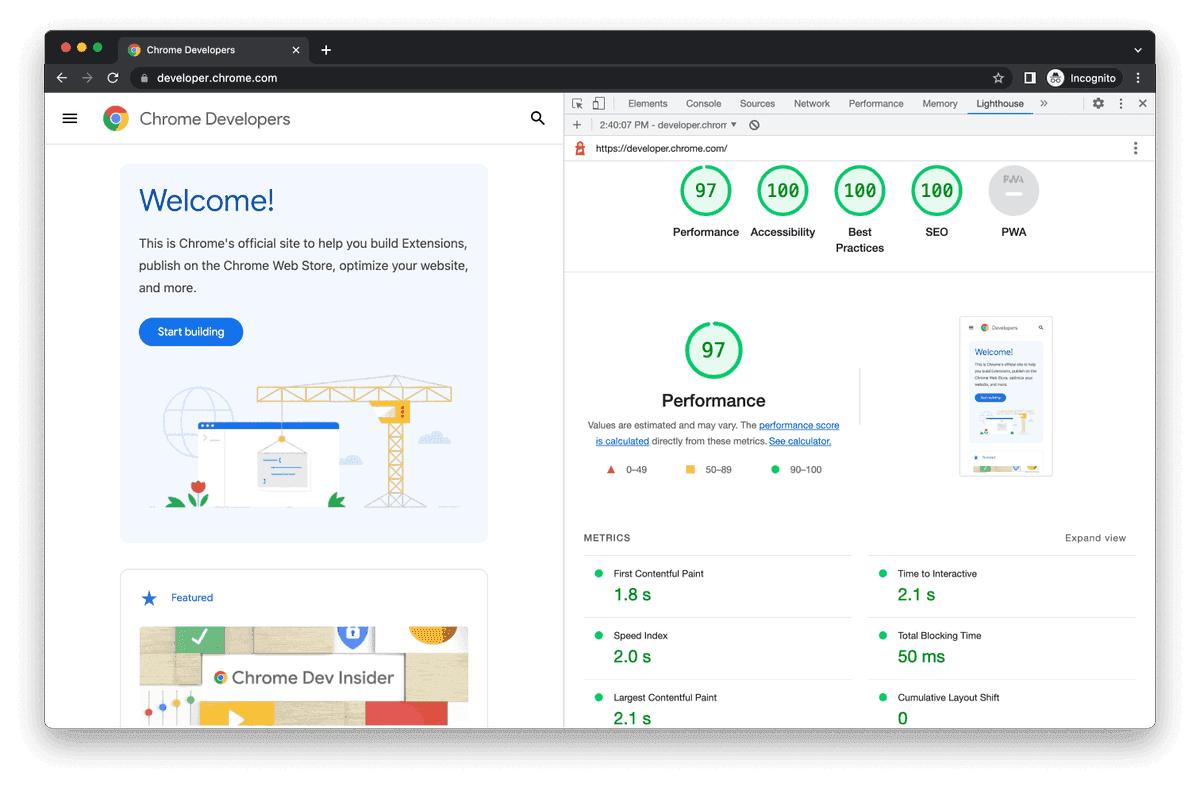
In Chrome DevTools (Chrome 150+), open DevTools, go to Lighthouse, and click Analyze. The category is on by default; no toggle needed.
For CI pipelines, run:
npx lighthouse@latest <url> --only-categories=agentic-browsing
This returns JSON with per-audit pass/fail data for CI pipelines.
What This Means for SEO and Web Teams
The category is not just documentary. Lighthouse typically runs as part of CI/CD pipelines, so Agentic Browsing will become a measurable requirement on front-end teams over the coming months, comparable to what Core Web Vitals have been since 2020.
Lighthouse is how Google operationalizes web-quality opinions at scale. When Lighthouse adds a category, the rest of the web optimization industry follows within 18 months. That's what happened with Core Web Vitals. That's what happened with Accessibility.
These audits measure your site's readiness for browser-based agents like Gemini in Chrome, Operator, and Claude, not your SEO position. But the technical signals overlap heavily with existing SEO and accessibility best practices. A clean accessibility tree, stable layout, and semantic HTML serve all three audiences simultaneously.
Final Thoughts
The most interesting thing about this audit isn't any single check. It's the scoring model. No 0–100 score means no gaming it to a comfortable number and moving on. Pass/fail per audit forces specificity. You either have accessible labels on your form fields or you don't. You either have a valid llms.txt at your domain root or you don't. That's a harder standard to rationalize away.
WebMCP is the part I'd watch most closely. WebMCP is the upgrade that lets agents act on your site, submitting forms, triggering searches, and completing transactions through explicitly registered tools instead of guessing which button to click. The spec is still moving, and adoption is thin. But the direction is clear: sites that declare their capabilities to agents explicitly will be the ones agents reach for first. The screenshot-and-guess approach that most agents rely on today is a stopgap.
For most teams, the immediate action is straightforward: fix accessibility tree issues, stabilize CLS, and ship a basic llms.txt. None of that requires waiting for WebMCP to stabilize. The accessibility work pays dividends for real users and screen reader support too, so there's no wasted effort. What are you seeing in your own Lighthouse audits? Drop your results and questions in the comments below.
Frequently Asked Questions
5 questions
1What is Lighthouse Agentic Browsing?
The Agentic Browsing category evaluates how well your site is constructed for machine interaction through a set of deterministic audits. It was introduced in Lighthouse 13.3.0 and is now part of the default configuration.
2Does the Agentic Browsing audit affect my SEO rankings?
Google hasn't said it's a direct ranking factor. Right now, it's better read as a readiness signal for agent usability, not a confirmed lever for SEO rankings.
3What score does the Agentic Browsing category produce?
Unlike other Lighthouse categories, the Agentic Browsing category does not have a weighted average score from 0 to 100. Because the standards for the agentic web are still emerging, the current focus is to gather data and provide actionable signals rather than a definitive ranking.
4What is WebMCP and do I need it right now?
WebMCP is a proposed standard that lets a website describe its functions, like a search box or booking flow, as structured tools an AI agent can use consistently. Since WebMCP is still experimental, most teams should first improve accessibility, layout stability, forms, and semantic HTML. After that, they can explore WebMCP for high-value actions like booking, form submission, or product search.
5What happens if my site returns a 404 for llms.txt?
If the file is not provided by the server (resulting in a 404), the audit is marked as Not Applicable (N/A), as providing the file is optional at the moment. You won't fail, but you won't pass either.